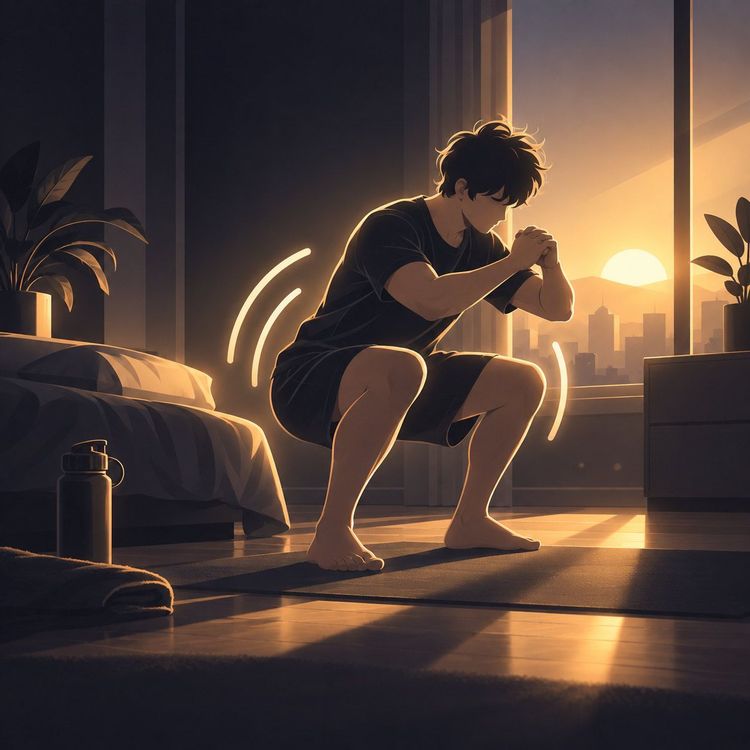
Alarm clock with tasks: how it gets you out of bed
An alarm clock with tasks only switches off once you’ve done squats, push-ups or made your bed. How it works with Wakea, limits included.

“Is there an alarm clock with tasks that makes you get out of bed?” Almost: it only switches off once you’ve done something you can’t do in bed. In Wakea, that’s squats, push-ups or making your bed, and your phone’s camera checks it right on the device.
No alarm clock can force you. But it takes the decision away from your half-asleep self, and Wakea is set up in a few minutes. The limits are further down.
At a glance
- Missions
- 3
- Snooze button
- none
- Camera
- on the device
- Emergency exit
- yes
Why the alarm loses to half-asleep you
You know the evening: “One more video.” The next one plays by itself, the group chat is still going, and suddenly it’s past midnight. In Germany, almost four in ten adults say they sleep less than seven hours on weeknights.
Then the alarm rings, and your thumb switches it off before you’re properly awake. At 6:30 a.m. it’s not your head that decides, it’s your hand. And the moment the alarm is off, your phone is already in your hand: just a quick look at the news, one video, and the bed has you again.
That isn’t laziness. Right after waking up you’re often groggy for half an hour, sometimes longer, and your thumb is faster than your head. In one small study, people got moving faster when the alarm only stopped after a task such as taking a photo in the room. For Wakea itself, there are no such numbers.
Wakea – Wake Up Alarm Clock
Alarm clock for heavy sleepers. Wake-up missions to stop snoozing and get up.


3-day free trial
How an alarm clock with tasks works
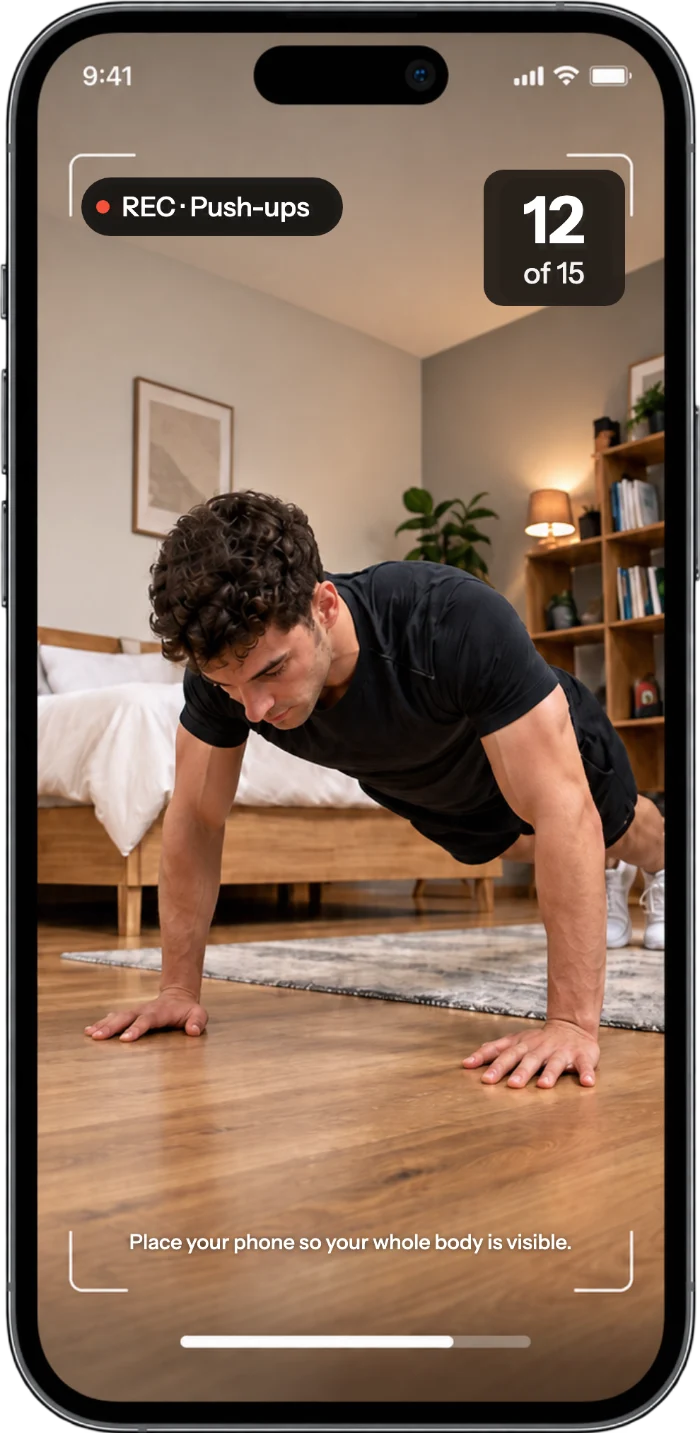
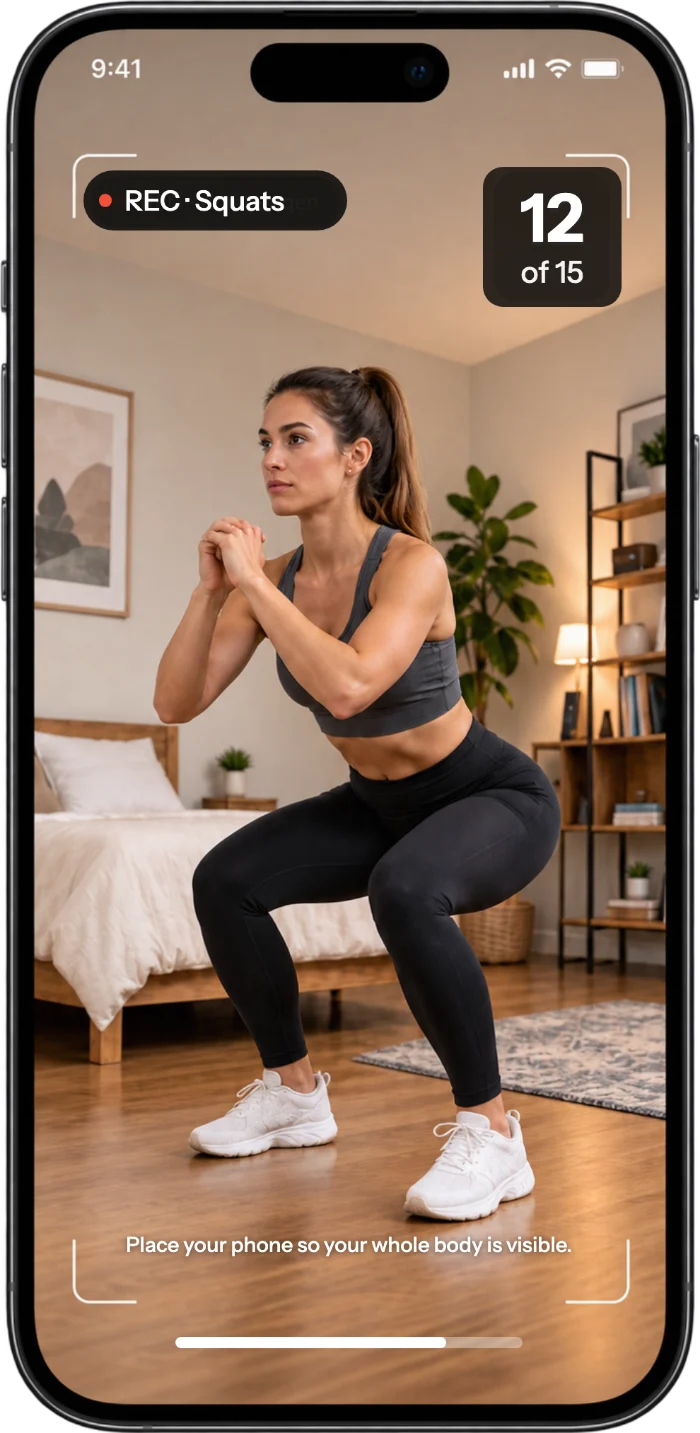
An alarm clock with tasks like Wakea only switches off once you’ve completed one of three missions. You choose it for each alarm separately. There is no snooze button in the app.
- Squats: The front camera counts your reps live. Place your phone so that your hips and knees are in the frame.
- Push-ups: the tougher start. The phone stands to the side, with your arms and upper body in the frame.
- Make your bed: You make the bed and take a photo of it, as with a photo alarm clock. The camera checks on the device whether it’s made.
In the morning it goes like this: the alarm rings, you start the mission, the camera counts or checks, then the alarm switches off. Camera recognition runs right on the device. Photos and videos are not saved or uploaded.
Why movement, of all things? Puzzles or math can be solved lying down. All three missions require you to get out of bed. That’s a plausible idea, not proof.
Whoever has to get up to turn off the alarm has already taken the hardest step.
How to set it up tonight
You can set up an alarm with a mission in a few minutes:
- Pick a mission and a time. Create a new alarm, choose a mission, set the time and, under “Repeat”, choose “Daily” or “Weekdays”. A similar wake-up time on days off supports your sleep rhythm, too.
- Start easy. You choose the difficulty per alarm for squats and push-ups. Start on easy and step up only once it feels solid. A mission that annoys you gets deleted fast.
- Allow notifications and camera. Without notifications, no alarm rings, even with the app open. Without camera access, an alarm with a camera mission is paused.
- Check on iPhone. Allow time-sensitive notifications so your alarm still reaches you in a sleep focus. The silent switch can keep the alarm quiet, so check it in the evening, too.
- Check on Android. “Boost volume when ringing” raises the alarm volume when it rings.
- Tap “Test alarm”. Run it through in the evening with the lights on, with your phone a little way from the bed so you have to stand up, but with your hips and knees in the frame. It feels silly at night, but it saves you the shock in the morning.
Wakea – Wake Up Alarm Clock
Alarm clock for heavy sleepers. Wake-up missions to stop snoozing and get up.
3-day free trial
When the task gets annoying
A camera has a harder time in the dim light of a bedroom. How well recognition works there can’t be promised; a bright test room is easier than a room at dawn.
So: lights on before the mission starts, put the phone down firmly and straight, and follow the hints on the screen, such as “step back a little”. For squats and push-ups, one level easier helps when in doubt. For making your bed, the difficulty can’t be set: the whole bed has to be in the frame, so step back a little. Test once in dim light, too.
And if you stay in bed anyway?
Wakea doesn’t force you in the literal sense, and that’s on purpose. There is an emergency exit so that nobody is locked in. Whoever uses it hasn’t completed the mission, and that morning doesn’t count toward your streak. The ringing also stops by itself after a while.
And after the mission? Wakea checks the mission, not what comes next. So you can lie back down. A fixed if-then plan helps: “When the mission is done, I turn on the light and go to the kitchen.”
Wakea – Wake Up Alarm Clock
Alarm clock for heavy sleepers. Wake-up missions to stop snoozing and get up.
3-day free trial
A missed morning is no drama
A new habit typically takes about two months, a little less for some people, longer for others. A single missed day barely sets you back. With the mission you’ve already achieved something before the day has properly begun.
Frequently asked questions
Is there an alarm clock that makes you get out of bed?
No alarm clock can force you, but an alarm clock with tasks makes going back to sleep hard: with Wakea, it only switches off once you’ve completed your mission. It comes with an emergency exit, a ringing that ends after a while, and the notifications without which no alarm rings.
Which tasks does an alarm clock like Wakea have?
Three: squats, push-ups or making your bed. When it rings, you start the mission, the camera on the device counts the reps or checks the bed, and then the alarm switches off.
Does the alarm ring if I turn notifications off?
No. Without notifications, no alarm rings, even with the app open. On iPhone, the silent switch can also keep it quiet. If the phone is off or dead, nothing rings either. Check it in the evening with “Test alarm”.
Does the camera work in poor light?
That can’t be promised; in dim light it’s harder. Turn on a light, put the phone down firmly and straight, and follow the hints on the screen. Photos and videos are not saved or uploaded.
Can I lie back down after the mission?
Yes. Wakea only checks the mission; there is no check afterward. Set yourself a fixed next step, for example lights on and straight to the kitchen.
Does Wakea wake you offline, and does it run on iPhone and Android?
Yes, both. The alarm rings without internet; only the subscription needs a connection. Wakea is available for iPhone and Android.